Workspace-wide defaults for the client portal and client reports

Set once which portal pages and report sections every client gets, and override per client. The portal can show the campaign goal, brief and competitors, and content due dates are now publish dates.
Back from the long weekend with a day for the screens clients see.
For our partners
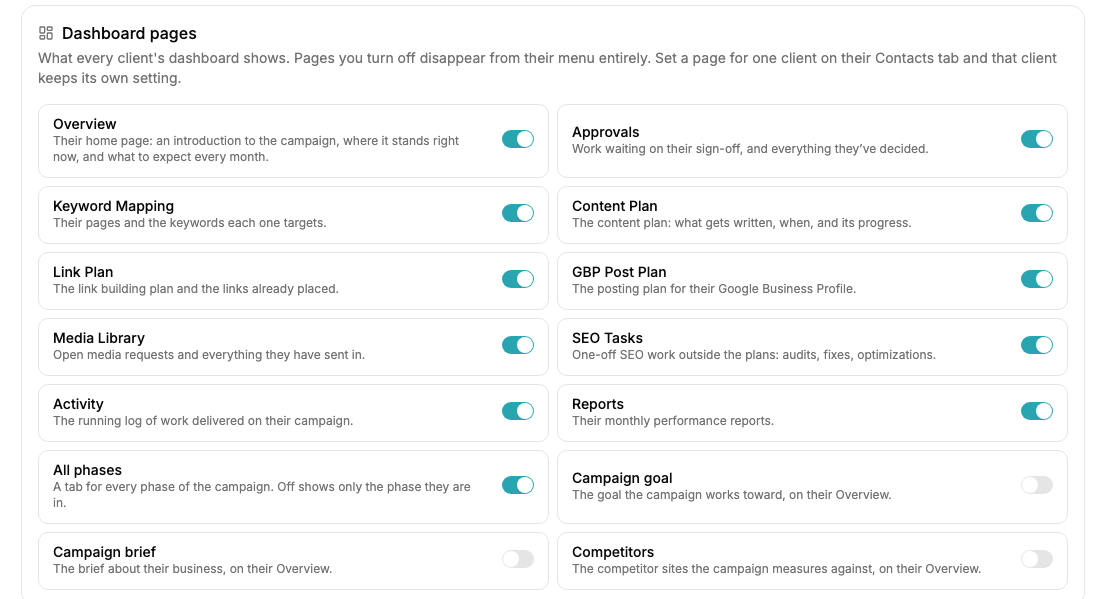
- Client Portal settings gain a Dashboard pages card: choose once which portal pages every client sees, and the per-client toggles on the Client Portal tab still win when set. Three new portal options and an All phases switch arrive with it.
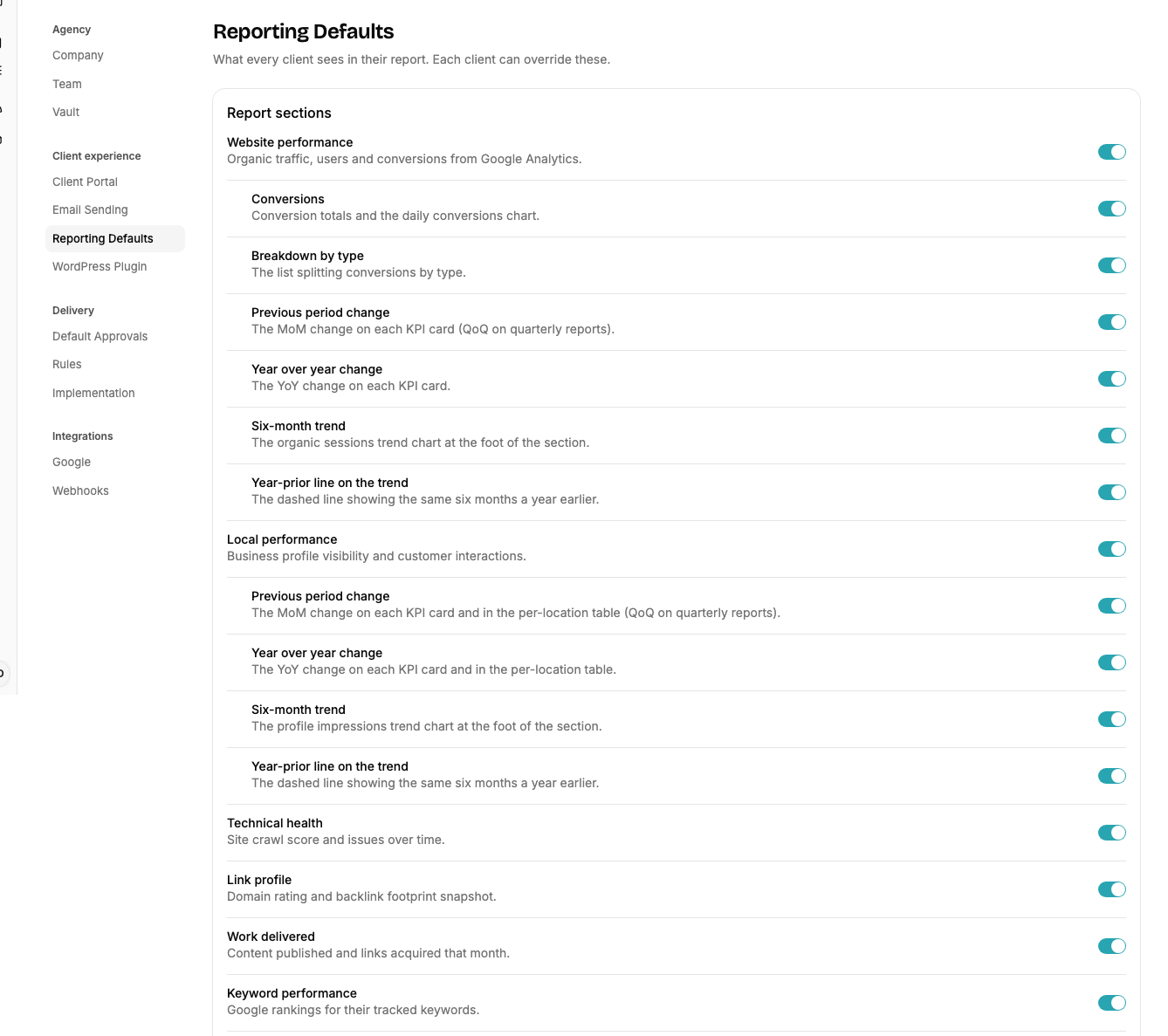
- Reporting Defaults is a new Workspace Settings tab, inherited by every client, and the per-client sheet stores only what differs.
- Content plan items carry a real publish date, and the content plan table shows each item’s type.
- Proposals are now built from two catalogs, a campaign process outline and minimum monthly deliverables, and a won discovery carries both onto the campaign as its process and scope. Wording you wrote for a deliverable prints verbatim on the client’s page.
- Email Sending takes an optional reply-to address, applied to every client-facing send. A sending domain you have verified now goes live within the hour of its records landing, with no click.
1. Dashboard pages
The new options are off by default. Campaign goal and Campaign brief show on the portal’s ongoing phase in the same card your client overview uses, and Competitors shows the competitor sites as chips. All phases, when off, drops the phase tabs from a client’s Overview so they see only the current phase. The portal’s ongoing phase also drops its planned-work list, so it matches your view.
2. Reporting Defaults
The tab carries the same section toggles and PDF contents as the per-client sheet. A client sheet that differs is marked Custom and has a Use workspace defaults button.
3. Publish dates
Geo pages, service pages and page expansions land on the 15th of their month, and a plan’s blog posts spread evenly across it, interleaving with posts from other plans. Writing opens on the 1st.
Behind the scenes
- Every action staff take on held agent work is now recorded: edited (with what changed), rejected, released.
- The agent builder retired its always-on tool set; an agent’s tool list is exactly what it names.
- More connector releases, this time from working the blog publishing lane by hand.
3. Connector releases
Posts open without a duplicate title heading, a featured image can lead the body for themes that never show it, and each post can carry its own search-indexing override. Page addresses refresh, reading settings work for sites with no posts page, and new links are styled like the post’s own links so readers can see them.
Get these updates by email
A short note when something changes on the platform, plus whatever else you pick.
Check your inbox to confirm your subscription.