Asks: an agent can now put a question to you

Asks are a new output for agents, beside a task and silence: one question put to you. Notes & feedback replaces Comments and turns what you write into proposed changes, and the client workspace navigation was consolidated.
A day for asks, notes, and a tidier client workspace.
For our partners
- An ask is a new kind of agent output: one question, optional proposed answers, and a follow-up as its own thread. Until today an agent had two outputs, a task or silence.
- Notes & feedback replaces Comments in the sidebar, and each note you send becomes a short list of proposed changes. Nothing changes until someone accepts.
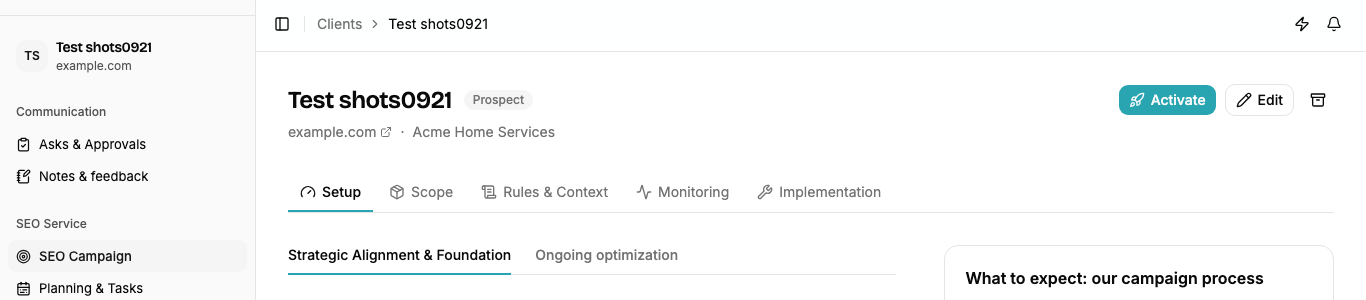
- The client workspace menu is shorter: Planning & Tasks, Reporting & Activity, and Keywords & Mapping each hold tabs that used to be separate items.
- Keywords added by hand now pull Google search volume, research needs a location, and the same term tracked in two locations is two keywords.
- Alerts are handled by our team for now and no longer appear in the partner workspace.
- The setting asking whether approved changes may be applied on a connected site is gone; connecting the site is the answer.
- Discovery reports strike word-order and spelling variants Google reports at the same volume and count the demand once.
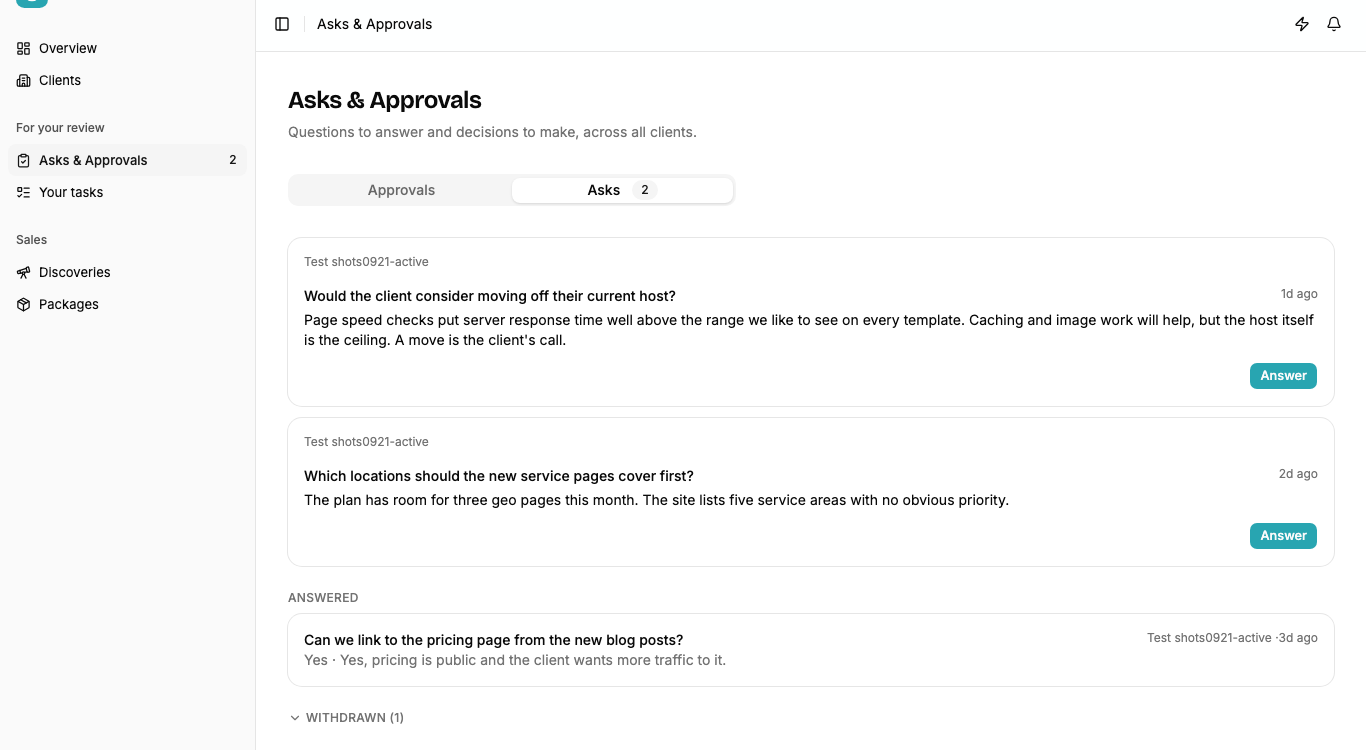
1. Asks
A question like whether a client would move off a slow host needed a shape of its own. The sidebar entry is now Asks & Approvals, open asks lead your daily or weekly digest, a task waiting on an answer shows as exactly that on the client’s list, and answering brings back the agent that asked. Our team and the agents can both ask.
2. Notes & feedback
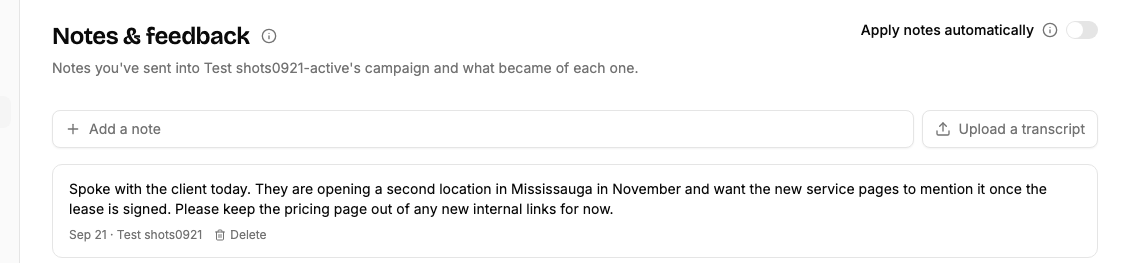
Notes are read as soon as they land. The proposed changes are a rule to add, something to remember, campaign context, or work for the team, and managers can switch on applying automatically. You can upload a call transcript in place of a note, and a note that no longer applies can be withdrawn, with what it changed undone.
3. Client workspace menu
Configuration split into SEO Campaign and Client Configuration, and workspace settings have a grouped side nav.
Behind the scenes
- Agents now see every page at desktop and phone width before filing a visible change, and a page that refuses to load is recognised as blocked rather than mistaken for the page itself.
- The monthly planners only run where their deliverable is in scope.
- The note review was tuned over dozens of dry runs against real notes and invented scenarios before it read a single live note.
- The team can send an email thread or a call to a client’s notes straight from our inbox.
Get these updates by email
A short note when something changes on the platform, plus whatever else you pick.
Check your inbox to confirm your subscription.